
Apple Watch Sleep Apnea Detection: How Accurate Is It Really?

Apple Watch Sleep Apnea Detection: Can It Really Catch What You're Missing?
The Apple Watch can now flag breathing disturbances while you sleep. But with 80% of sleep apnea cases still undiagnosed, should you trust a smartwatch to catch yours? Here is what the FDA data, clinical studies, and real users actually reveal.
Your Watch Says You Might Have Sleep Apnea. Now What?
In September 2024, Apple received FDA 510(k) clearance for a sleep apnea notification feature on the Apple Watch Series 9, Series 10, and Ultra 2. It was the first time a mainstream consumer wearable earned regulatory approval for sleep apnea screening in the United States.
The feature uses only the watch's built-in accelerometer to measure tiny wrist movements caused by breathing disturbances during sleep. After wearing it for at least 10 nights over a 30-day window, the watch classifies your nightly breathing as "Elevated" or "Not Elevated." If disturbances are consistently elevated, you receive a notification suggesting you may be at risk.
That single notification has already sent thousands of people to their doctors. But here is the critical question: how reliable is this screening, and what should you do if your watch either alerts you or stays silent?
Apple Watch Sleep Apnea Accuracy: The Numbers
Apple submitted clinical trial data from 1,448 participants to the FDA, the largest validation study ever conducted for a consumer sleep apnea device. Here are the headline figures:
In plain language: if the watch does alert you, the result is almost certainly real. A 98.5% specificity means fewer than 2 in 100 people get a false alarm. However, the 43% sensitivity for moderate cases means the watch will miss more than half of moderate sleep apnea sufferers. For mild cases (AHI 5-14), the feature is not even designed to detect them.
- A notification from your Apple Watch deserves immediate follow-up with a doctor.
- No notification does not mean you are clear. If you snore, wake up gasping, or feel excessively tired during the day, consult a sleep specialist regardless.
- The watch is a screening tool, not a diagnostic device. A polysomnography or home sleep test remains the gold standard.
How the Apple Watch Detects Breathing Disturbances
Unlike a clinical sleep study that monitors brain waves (EEG), airflow, chest effort, and blood oxygen, the Apple Watch relies on a single sensor: the 3-axis accelerometer. Here is the step-by-step process:
What the accelerometer cannot measure
A clinical polysomnography records oxygen saturation (SpO2), airflow through the nose and mouth, chest and abdominal effort, brain activity, and eye movements. The Apple Watch captures none of these. That is exactly why its sensitivity drops for milder cases, where breathing pauses are shorter and produce subtler wrist signals.

Apple Watch vs. Clinical Sleep Tests: An Honest Comparison
Understanding where consumer wearables fit alongside professional sleep diagnostics helps you make an informed decision about your own health.
| Feature | Apple Watch | Home Sleep Test (HST) | In-Lab Polysomnography |
|---|---|---|---|
| FDA status | 510(k) cleared for screening notifications | FDA-cleared diagnostic device | Gold-standard diagnostic |
| Sensors used | Accelerometer only | Nasal cannula, SpO2 sensor, chest belt | EEG, EOG, EMG, ECG, SpO2, airflow, chest/abdominal belts |
| Can diagnose OSA | No (screening only) | Yes (moderate-to-severe) | Yes (all severities) |
| Detects mild OSA | Not designed to | Limited | Yes |
| Typical cost | $399-$799 (watch purchase) | $150-$500 | $1,000-$3,000+ |
| Comfort level | Familiar wristwatch | Multiple sensors, one night | Full electrode setup, clinical setting |
| Monitoring period | 30 days continuous | 1-3 nights | 1 night (sometimes split-night) |
| Prescription needed | No | Yes | Yes |
The Apple Watch excels at convenience and long-term trend monitoring. A clinical sleep test excels at precision and diagnostic authority. They serve different purposes, and ideally they complement each other.
Learn About Sleep Apnea TypesWhat Real Users Say About Apple Watch Sleep Apnea Alerts
Online communities are filled with first-hand reports from people whose Apple Watch flagged potential breathing issues. Here are anonymized but representative experiences drawn from public forums and sleep health communities:
5 Limitations You Should Know Before Relying on Your Watch
1. Accelerometer-only detection
Without SpO2, airflow, or brain wave data, the watch cannot see the full picture. Short apneas and hypopneas that barely disrupt wrist movement go undetected.
2. Misses mild sleep apnea
Apple explicitly states the feature targets moderate-to-severe OSA (AHI 15+). Mild OSA (AHI 5-14) affects millions and is completely outside the feature's scope.
3. Sleep position interference
Side sleepers, restless sleepers, and people who move their arms frequently may produce accelerometer noise that confuses the algorithm. Position-dependent apnea may not register consistently.
4. Only for undiagnosed users
The feature is cleared only for adults aged 22+ who have not been previously diagnosed with sleep apnea. If you already have a diagnosis, the watch will not track your treatment progress.
A fifth limitation worth highlighting: the 30-day evaluation window. If your apnea events are positional (only on your back) or situational (only after alcohol or allergy season), the 30-day average may dilute them below the alert threshold. A single bad night will not trigger a notification, even if it was clinically significant.
Got a Notification? Here Is Your Next-Step Plan
If your Apple Watch flags elevated breathing disturbances, do not panic, but do act. Here is a practical roadmap:
- Download your health report. The Apple Health app generates a PDF summary of your 30-day breathing data. Print it or save it to your phone before your appointment.
- Book a GP or sleep specialist visit. Bring the PDF. Most doctors now recognize wearable data as a helpful conversation starter, even if it is not diagnostic.
- Request a home sleep test (HST). This is the most common first step. You wear a portable device for 1-3 nights at home. It measures airflow, SpO2, and chest effort to calculate your actual apnea-hypopnea index (AHI).
- If AHI is 5+ with symptoms, discuss treatment options. These range from CPAP machines and nasal stents designed to keep your airway open to positional therapy and lifestyle changes.
- If the HST is inconclusive, request in-lab polysomnography. Some cases, especially central sleep apnea or mild positional OSA, need the full electrode setup to diagnose accurately.
After Detection: Treatment Options for Sleep Apnea
An Apple Watch can flag the problem. But solving it requires choosing the right treatment for your severity level and lifestyle. Here is how the major options compare:
| Treatment | Best For | Comfort | Portability | Typical Cost |
|---|---|---|---|---|
| CPAP machine | Moderate-to-severe OSA | Moderate (mask, hose, noise) | Low (bulky, needs power) | $500-$3,000+ |
| Internal nasal stent | Snoring and mild-to-moderate OSA | High (soft silicone, adapts in 3-5 days) | High (fits in pocket) | From $39/month |
| Mandibular advancement device | Mild-to-moderate OSA | Moderate (jaw repositioning) | High | $100-$2,000 |
| Positional therapy | Position-dependent snoring and OSA | Variable | Medium | $50-$300 |
| Surgery (UPPP, MMA) | Severe OSA with anatomical obstruction | Recovery period required | N/A | $5,000-$40,000+ |
| Weight management | OSA linked to excess body weight | No device discomfort | N/A | Variable |
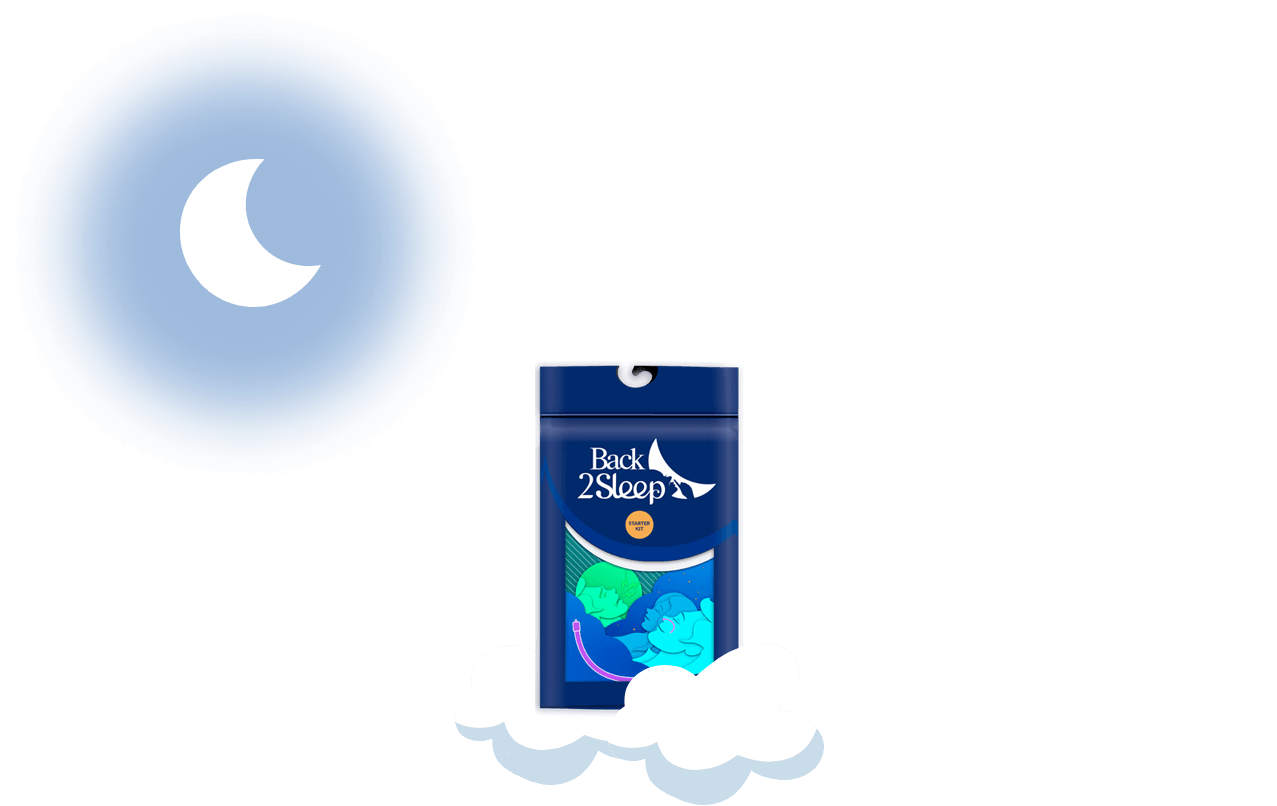
For people with mild-to-moderate obstructive sleep apnea or heavy snoring, a CE-certified internal nasal stent offers an intriguing middle ground. It is inserted in about 10 seconds, requires no electricity or mask, and clinical studies show a reduction in the apnea-hypopnea index from 22.4 to 15.7 (p<0.01) with lowest SpO2 improving from 81.9% to 86.6%.
Who Benefits Most from Apple Watch Sleep Apnea Screening?
Not every Apple Watch owner needs to enable this feature. But for certain groups, it can be genuinely valuable:
- People who live alone — without a bed partner to notice snoring or breathing pauses, wearable alerts may be the only early warning they receive.
- Those with risk factors — obesity (BMI 30+), a neck circumference over 17 inches, a family history of OSA, or frequent nasal congestion all increase your baseline risk.
- Frequent travelers — jet lag, alcohol, and sleeping in unfamiliar positions can worsen apnea events. The watch tracks nightly patterns even in a hotel room.
- People avoiding medical appointments — the watch lowers the barrier. A notification with a shareable PDF report makes it easier to start the conversation with a doctor.
- CPAP users curious about residual events — while the feature is technically only for undiagnosed users, some forum members report using it alongside their CPAP to spot nights when mask seal was poor.
If you already experience loud snoring, morning headaches, or excessive daytime sleepiness, skip the 30-day watch wait and go directly to your doctor. Symptoms alone warrant a clinical evaluation.
Apple Watch vs. Samsung Galaxy Watch: Sleep Apnea Features Compared
Apple is not the only player. Samsung received FDA clearance for sleep apnea detection on the Galaxy Watch7 and Galaxy Watch Ultra in 2024. Here is how they differ:
| Feature | Apple Watch (Series 9/10/Ultra 2) | Samsung Galaxy Watch7/Ultra |
|---|---|---|
| Primary sensor | Accelerometer (wrist motion) | SpO2 sensor (blood oxygen) |
| Detection method | Breathing disturbance patterns over 30 days | Oxygen desaturation during 2+ nights |
| Monitoring period | 10+ nights over 30 days | 2 nights minimum |
| FDA classification | 510(k) De Novo | 510(k) cleared |
| Target population | Undiagnosed adults 22+ | Undiagnosed adults 22+ |
| Output | Elevated/Not Elevated + notification | Moderate-to-severe risk indicator |
Both approaches have trade-offs. SpO2 sensors can detect oxygen drops directly, which is closer to what a clinical test measures. Accelerometers are less specific but operate passively every night without additional setup. Neither replaces professional diagnosis.
What Sleep Medicine Experts Say
The sleep medicine community has responded to Apple's feature with cautious optimism. Here are the prevailing expert perspectives:
The American Academy of Sleep Medicine (AASM) acknowledged the feature but emphasized that smartwatches do not serve as replacements for polysomnography in clinical diagnoses. Precise sleep staging remains crucial for diagnosing conditions like insomnia, narcolepsy, and central sleep apnea.
7 Tips to Get the Most Accurate Readings from Your Apple Watch
- Wear it consistently. The algorithm needs at least 10 qualifying nights. Sporadic use creates gaps that delay or prevent notifications.
- Keep the band snug but comfortable. A loose watch slides on the wrist and introduces noise into accelerometer data.
- Charge strategically. Charge during your evening wind-down or morning routine so the watch has enough battery to last the full night.
- Enable Sleep Focus mode. This ensures the watch actively tracks your sleep session and collects breathing data.
- Minimize alcohol before bed. While alcohol worsens actual apnea events (which is useful to detect), it also increases restless movement that may confuse the sensor.
- Review your Health app data weekly. Do not wait for a notification. Check the "Breathing Disturbances" section to spot trends before they reach the alert threshold.
- Combine wearable data with partner observations. Ask your bed partner if they notice snoring, gasping, or breathing pauses. Their observations plus your watch data create a much stronger case for your doctor.
Beyond Detection: Why Screening Is Only Step One
A smartwatch notification is not a finish line. It is a starting gate. The value of detection is only realized when it leads to diagnosis and treatment.
Consider this journey:
- Week 1-4: Apple Watch collects data, generates notification.
- Week 5: You visit your GP with the PDF report.
- Week 6-7: Home sleep test confirms OSA diagnosis (AHI of, say, 12).
- Week 8: You and your doctor discuss treatment. For mild-to-moderate cases, options include a nasal airway stent, a mandibular advancement device, or positional therapy.
- Week 9 onward: Treatment begins. Many people notice improved sleep quality, reduced snoring, and better daytime energy within the first few nights.
The whole process from notification to treatment can happen in under two months. Without that initial alert, many people go years without knowing their sleep quality is compromised.
- Untreated sleep apnea costs an estimated $150 billion per year in healthcare complications in the US alone.
- People with undiagnosed moderate-to-severe OSA have a 2-3x higher risk of motor vehicle accidents.
- Treatment adherence drops significantly when diagnosis is delayed. Early detection through wearables may improve long-term outcomes.
Frequently Asked Questions
Can the Apple Watch diagnose sleep apnea?
No. The Apple Watch is FDA-cleared as a screening tool only. It can notify you of possible sleep apnea risk based on breathing disturbance patterns, but an official diagnosis requires a home sleep test or in-lab polysomnography ordered by a healthcare provider.
How accurate is the Apple Watch for detecting sleep apnea?
Apple's clinical trial with 1,448 participants showed 89% sensitivity for severe sleep apnea (AHI 30+), 43% for moderate (AHI 15-29), and 98.5% specificity. This means false alarms are rare, but the watch will miss over half of moderate cases and is not designed to detect mild OSA.
Which Apple Watch models support sleep apnea detection?
The feature is available on Apple Watch Series 9, Series 10, and Apple Watch Ultra 2 running watchOS 11 or later. Older models do not support the breathing disturbance notifications feature.
What should I do if my Apple Watch says "Not Elevated" but I still snore?
See a doctor anyway. A "Not Elevated" reading does not rule out sleep apnea, especially mild or positional cases. If your bed partner reports loud snoring, if you wake up gasping, or if you experience excessive daytime fatigue, a clinical evaluation is warranted regardless of what the watch shows.
Does the Apple Watch measure blood oxygen for sleep apnea?
The Apple Watch Series 9/10/Ultra 2 does have a blood oxygen sensor, but the sleep apnea notification feature specifically uses the accelerometer (motion sensor) to detect breathing disruptions, not SpO2. Blood oxygen readings are available separately in the Health app but are not part of the FDA-cleared apnea screening algorithm.
How long do I need to wear the Apple Watch before it detects sleep apnea?
You need at least 10 nights of valid sleep data within a 30-day window. If at least 5 of those nights show elevated breathing disturbances, you will receive a notification. Most users report getting their first assessment after approximately 25-30 days of consistent overnight wear.
What are alternatives to CPAP for treating mild-to-moderate sleep apnea?
Alternatives include internal nasal stents (like the Back2Sleep device), mandibular advancement devices, positional therapy, weight management, and in some cases surgery. Nasal stents are especially popular for their simplicity: they insert in 10 seconds, require no power, and clinical data shows significant AHI reduction. Consult your healthcare provider to find the option that matches your diagnosis and lifestyle.